

Auto Lot Size Calculator: Stop Doing the Math Yourself
Manual lot size calculation costs you trades. Learn how an auto lot size calculator removes friction and sizes positions instantly from your stop loss.
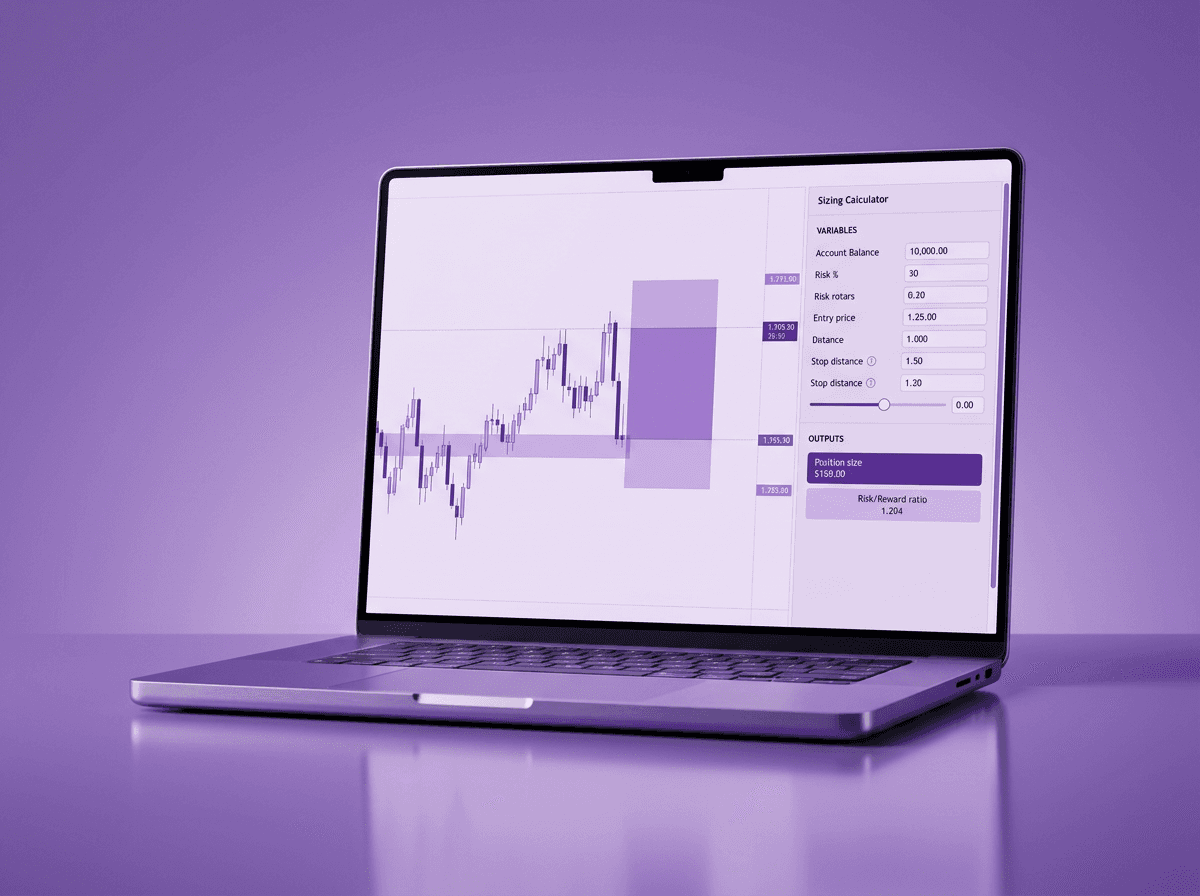
An auto lot size calculator takes your account balance, risk percentage, and stop loss distance and returns the correct position size instantly. No spreadsheet. No separate calculator tab. No mental arithmetic under pressure. You place the stop loss, and the lot size appears.
That sounds simple because it is. But the gap between knowing how to calculate lot size and doing it correctly under live market pressure is where most sizing errors happen. And sizing errors are the fastest way to blow past your risk per trade limits without realizing it until the trade is already running.
TL;DR
Manual lot size calculation adds friction at the worst possible moment: right before entry.
Errors in manual sizing lead to positions that are too large or too small for your actual risk tolerance.
An auto lot size calculator uses your account balance, risk %, and stop loss distance to size the trade for you.
You place the stop loss on the chart, and the math is done before you click buy or sell.
Speed at entry matters because the setup you analyzed can move away while you are still punching numbers.
The Friction Problem With Manual Calculation
Here is what manual lot size calculation actually looks like in real time. You spot a setup on GBP/USD. Price is at 1.3150, and you want to buy with a stop loss at 1.3100. That is 50 pips of risk. Your account balance is $10,000 and you risk 1% per trade, so $100 of risk.
Now you need to figure out the lot size. You open a separate calculator, or a spreadsheet, or you try to do it in your head. For GBP/USD, 1 standard lot equals roughly $10 per pip. So $100 divided by 50 pips equals $2 per pip, which means 0.20 lots.
That calculation took you 30 to 60 seconds if everything went smoothly. But here is what happens in practice:
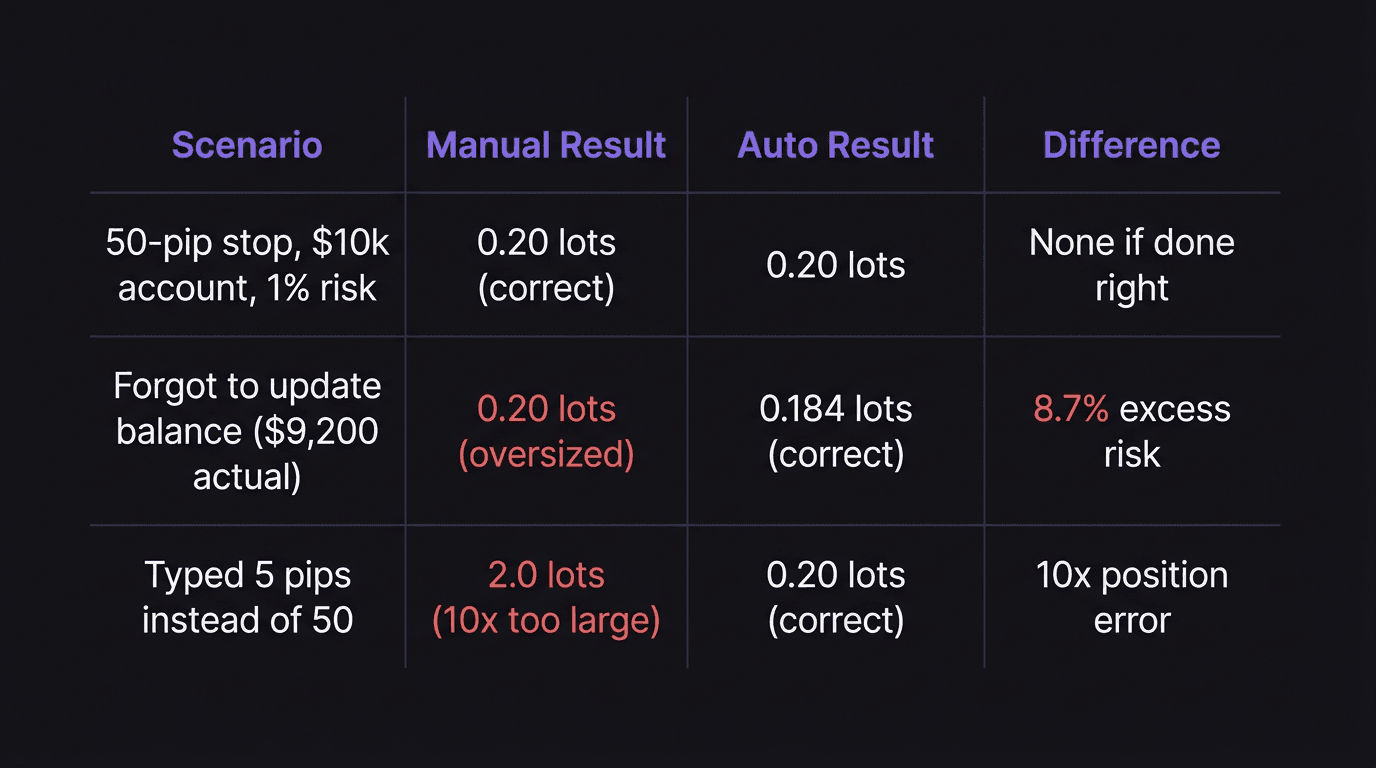
You fat-finger the pip count and type 55 instead of 50.
You forget whether you updated your account balance after yesterday's drawdown.
You second-guess the math, redo it, and lose another 15 seconds.
Price moves 12 pips while you are switching between your calculator tab and your chart.
The problem is not that position sizing math is hard. It is basic division. The problem is that you are doing basic division at the exact moment your brain is least equipped for it: when a trade setup is forming and you feel urgency to get in.
The Real Cost: Wrong Size or No Trade
Walkthrough: The Oversized GBP/USD Trade
A trader spots a clean bullish setup on GBP/USD during London session. Entry at 1.3150, stop loss at 1.3100, take profit at 1.3250. That is 50 pips risk for 100 pips reward, a 2:1 ratio. Account balance: $10,000. Risk: 1%, so $100.
Correct lot size: $100 / (50 pips x $10/pip) = 0.20 lots.
But the trader is rushing. He opens a calculator site, types "1315" instead of "1.3150" for entry, and "1310" instead of "1.3100" for stop. The calculator interprets the distance as 5 pips instead of 50. It returns 2.0 lots. The trader does not catch it. He enters at 2.0 lots.
The trade goes against him by 20 pips. At 2.0 lots, that is $400 in the red. His intended risk was $100. He just risked 4% of his account on a 1% trade because of a decimal error he made under time pressure.
That scenario is not unusual. It happens to traders every single day. And it does not happen because they are bad at math. It happens because manual calculation introduces friction at the highest-pressure point in the trading workflow.
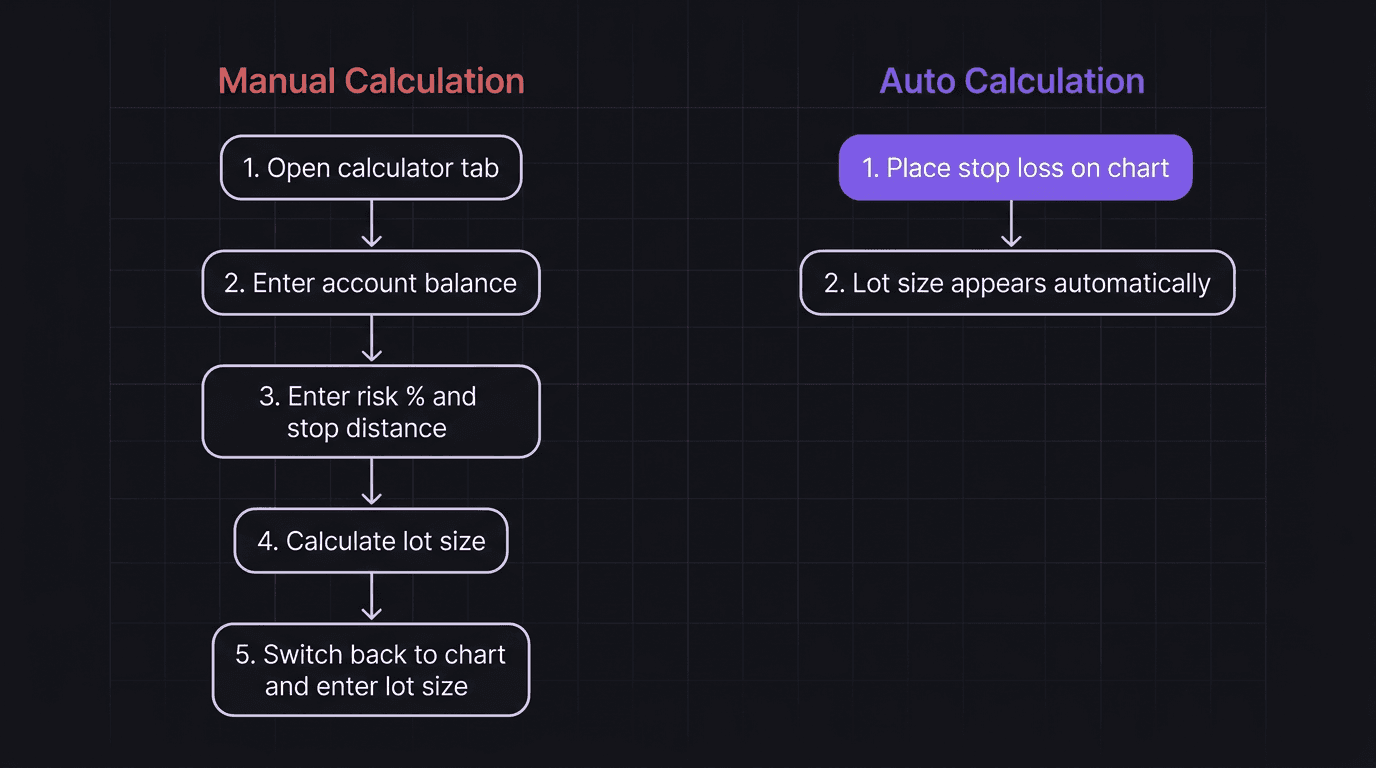
The other failure mode is the missed trade. You see the setup, start calculating, and by the time you have the correct lot size, price has already broken out. You either chase at a worse price or you sit out entirely. Both outcomes are bad.
How Auto Lot Size Calculation Works
Auto lot size calculation removes every manual step between "I see a setup" and "I am in the trade at the right size." The system needs three inputs:
Account balance (read automatically from your connected account)
Risk percentage (set once in your preferences, like 1% or 0.5%)
Stop loss distance (determined by where you place your stop on the chart)
From those three numbers, the formula is straightforward:
Lot size = Dollar risk / (Stop loss in pips x Pip value)
If your account is $10,000 and you risk 1%, your dollar risk is $100. If your stop loss is 50 pips away on a pair where 1 standard lot equals $10 per pip, the lot size is $100 / (50 x $10) = 0.20 lots.
An auto calculator runs that formula the instant you place or move your stop loss. No tab switching. No typing. No chance to enter a wrong digit.
What Changes When You Remove the Manual Step
The difference is not just speed. It is accuracy under pressure. When the math is automated:
Your lot size always reflects your current account balance, not yesterday's balance that you forgot to update.
Your position is always sized to your actual risk setting, not a rounded number you estimated in your head.
You cannot accidentally enter 2.0 lots when you meant 0.20 lots.
You can adjust your stop loss and watch the lot size update in real time before committing to the trade.
That last point matters more than it sounds. If you move your stop from 50 pips to 30 pips, your lot size should increase from 0.20 to 0.33 lots to maintain the same dollar risk. With a manual calculator, you would need to redo the entire calculation. With auto calculation, it just updates.
Place the Stop Loss and the Math Is Done
This is where auto lot sizing becomes a workflow feature instead of just a calculator. You are not filling in a form. You are placing a stop loss on your chart, which is something you already do for every trade.
The moment the stop loss is placed, the system reads the distance between your entry price and stop price, applies your risk settings, and shows you the resulting lot size. You have not opened a second tab. You have not typed a single number.
Think about it like this. When you drive a car with an automatic transmission, you do not think about gear ratios. You press the gas and the car handles the rest. Manual lot sizing is like driving stick shift while texting. You can do it, but you are adding unnecessary cognitive load at a dangerous moment.
Walkthrough: Clean Entry With Auto Sizing
Walkthrough: EUR/USD Setup With Auto Lot Size
You are watching EUR/USD on the 1-hour chart. Price is at 1.0850 and you see a bullish rejection off a support zone. You decide to enter long with a stop loss below the zone at 1.0810. That is 40 pips of risk.
Your account balance is $5,000. Your risk is set to 1%, so $50 of risk. The auto calculator shows: $50 / (40 pips x $10/pip) = 0.125 lots, rounded to 0.12 lots.
You glance at the lot size, confirm it matches your risk tolerance, and click buy. Total time from placing the stop loss to entering the trade: about 3 seconds.
Now compare that to the manual process. You would open a calculator, type 5000 as your balance, 1 as your risk percentage, 40 as your pip distance, and probably double-check the pip value for EUR/USD. Then switch back to your chart and enter 0.12 in the lot size field. That is 45 to 60 seconds of friction, assuming you did not make an error that forces you to redo it.
The trade outcome is the same in both scenarios if the math is correct. But the trader experience is completely different. One feels smooth. The other feels like paperwork.
Why Speed Matters at Entry
Speed does not mean reckless. Speed means removing unnecessary delay between a decision and its execution. You already did the analysis. You already marked the level. You already decided this is a valid setup based on your pre-trade checklist. The only thing left is getting in at the right size and the right price.
Every second of delay at entry introduces two risks:
Price slippage. The setup you analyzed at 1.0850 might be at 1.0858 by the time you finish calculating. That is 8 pips of worse entry on a 40-pip stop, which changes your risk-to-reward ratio from 1:2 to roughly 1:1.7.
Decision fatigue. The longer you spend on manual tasks, the more likely you are to talk yourself out of a valid trade. Or worse, talk yourself into a larger position because you are frustrated by the delay and want to "make it worth the effort."
Trading without a stop loss is one way traders blow accounts. But entering with a stop loss at the wrong size because of a calculation error is nearly as dangerous. Both leave you exposed beyond your intended risk.
Sound familiar? You have probably had a trade where you knew the entry was right, the stop was right, and the target was right, but something went wrong with the size. Maybe you caught it after entry and felt that sinking feeling. Maybe you did not catch it until you saw the P&L.
Fast execution is not about being aggressive. It is about having your trading rules already embedded in the system so you do not have to enforce them manually under pressure.
How EdgeFlo Calculates Lot Size in One Click
EdgeFlo builds auto lot size calculation directly into the trade execution screen. You set your risk percentage once in your settings. When you place a stop loss on the chart, EdgeFlo reads your account balance, calculates the stop loss distance in pips, and shows you the exact lot size for that trade.
No separate calculator. No form to fill out. Place the stop, see the size, take the trade.
This is part of EdgeFlo's Trade Execution pillar, which treats risk visibility as something that happens during execution, not before it in a different window. The auto risk calculator sits right next to the buy and sell buttons. When you adjust your stop, the lot size updates in real time. You always know exactly how much you are risking before you click.
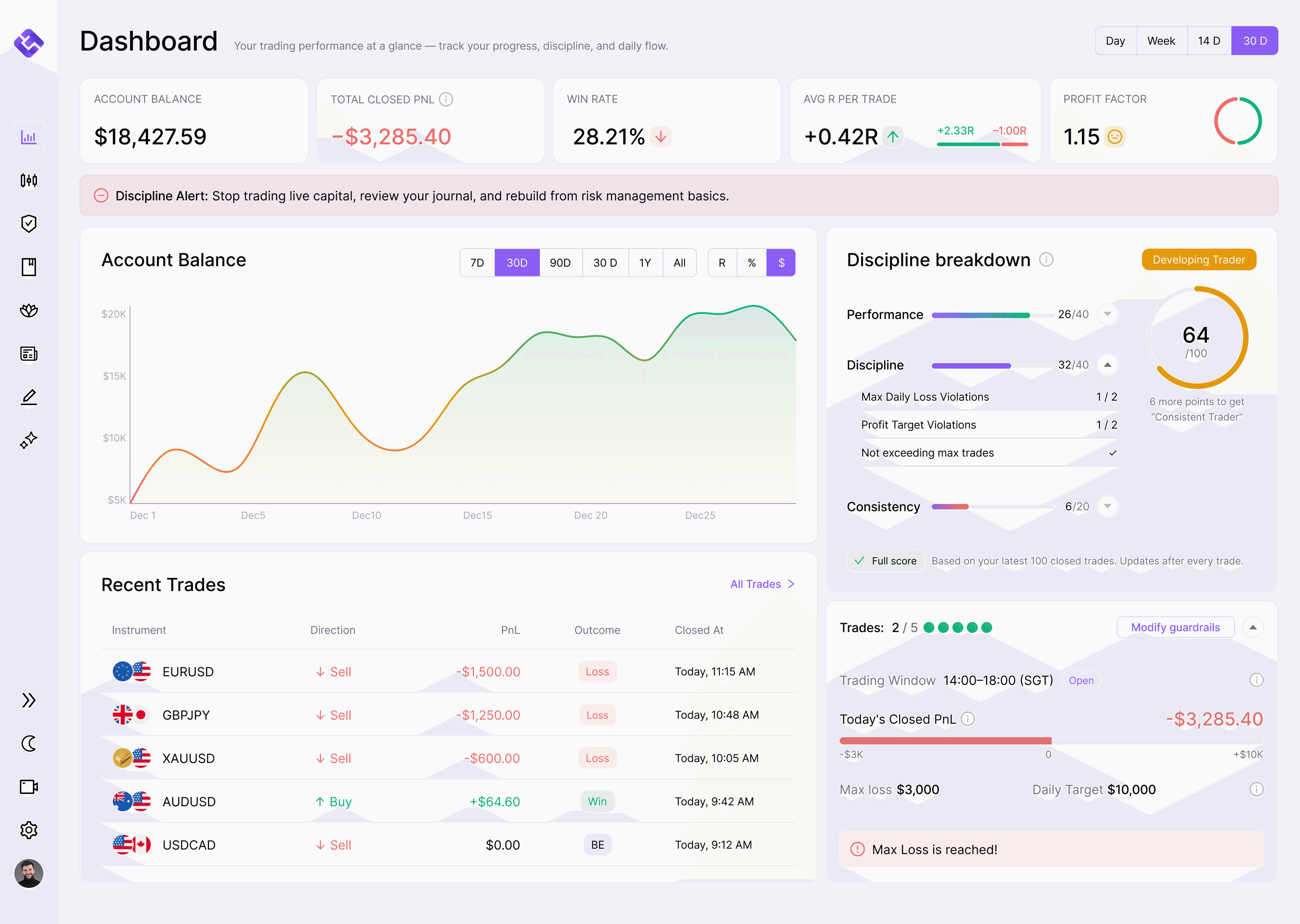
The point is not to make trading faster for the sake of speed. It is to remove the friction that causes sizing errors and missed entries. Your daily loss limit only works if every individual trade is sized correctly. One miscalculated position can eat through your daily cap before you realize what happened.
The Edge Brief
Receive Insights on trading psychology, discipline, and the behavioral patterns that create consistent traders from our Founder and the EdgeFlo team, delivered to your inbox.
Think different. Trade different.
What is an auto lot size calculator?
How does stop loss distance affect lot size?
Can I still choose my own lot size with auto calculation?
Is an auto lot size calculator only for forex?

Turn discipline on.
Every session.
EdgeFlo is the environment serious traders operate inside.
Start 7-Day Free Trial
Cancel anytime.
No long-term commitment.

Think Different, Trade Different.