

Position Sizing in Trading: The 0.5% Rule That Keeps You Alive
Learn how to calculate position size using the 0.5% risk rule. Step-by-step lot size walkthrough with a $1,000 account example.
Position sizing is the single most important calculation you make before entering a trade. Get it wrong, and a 30-pip stop loss on a $1,000 account can wipe out 30% in one shot. Get it right, and even a string of losses barely dents your balance.
The core idea is simple: decide how much you're willing to lose on this trade, then calculate the lot size that matches. No guessing, no "I'll just use 0.1 lots every time."
TL;DR
Risk 0.5% per trade on a $1,000 account = $5 maximum loss per trade.
Two inputs determine lot size: your risk per trade (%) and your stop loss distance (pips).
Standard lot = $10/pip, mini = $1/pip, micro = $0.10/pip. Most beginners need micro lots.
Use a position size calculator (MyFXBook or similar) instead of doing math by hand.
You can still lose more than planned if you analyze on one broker and trade on another, trade during news, or use exotic pairs.
What Position Sizing Actually Controls
Think of position sizing like choosing how much to bet at a poker table. You might have a great hand, but if you push your entire stack on every play, one bad read wipes you out.
Position sizing controls one thing: how much money moves per pip. A standard lot on EUR/USD means $10 swings every time price moves one pip. A micro lot means $0.10. Same trade setup, wildly different consequences.
The mistake most beginners make? Picking a lot size that "feels right" without connecting it to their actual account balance and stop loss. You end up risking 5%, 10%, sometimes 30% on a single trade without realizing it.
That's how accounts blow up. Not from bad analysis. From bad sizing.
The Two Inputs: Risk Per Trade and Stop Loss Distance
Every position size calculation comes down to two numbers.
Input 1: Risk per trade. This is the maximum percentage of your account you're willing to lose on one trade. The range most traders use is 0.25% to 1%.
The recommendation is clear: 0.5% per trade. At that level, the probability of blowing your account drops to near zero. You'd need to lose dozens of trades in a row before the damage becomes serious, and by that point you'd have stopped trading (or should have).
Going up to 1% is acceptable. Above 1% and you're gambling, not trading.
Input 2: Stop loss distance. This is how many pips your stop loss sits from your entry. A tighter stop means a larger lot size (more risk per pip, fewer pips to cover). A wider stop means a smaller lot size.
Your stop loss placement comes from market structure and your zones, not some arbitrary number. If you're buying at a demand zone, the stop goes below the zone. If you're entering at a protected higher low, the stop goes below that swing.
One practical tip: always give yourself at least 2 pips of breathing room beyond the structural level. If the zone edge puts your stop at 13.8 pips, round up to 15.8. Tight stops get clipped by spread alone.
Lot Sizes Explained (Standard, Mini, Micro)
Before you calculate anything, you need to know what lot sizes mean in dollar terms.
Lot Type | Size | Units | Value Per Pip |
|---|---|---|---|
Standard | 1.0 | 100,000 | $10.00 |
Mini | 0.1 | 10,000 | $1.00 |
Micro | 0.01 | 1,000 | $0.10 |
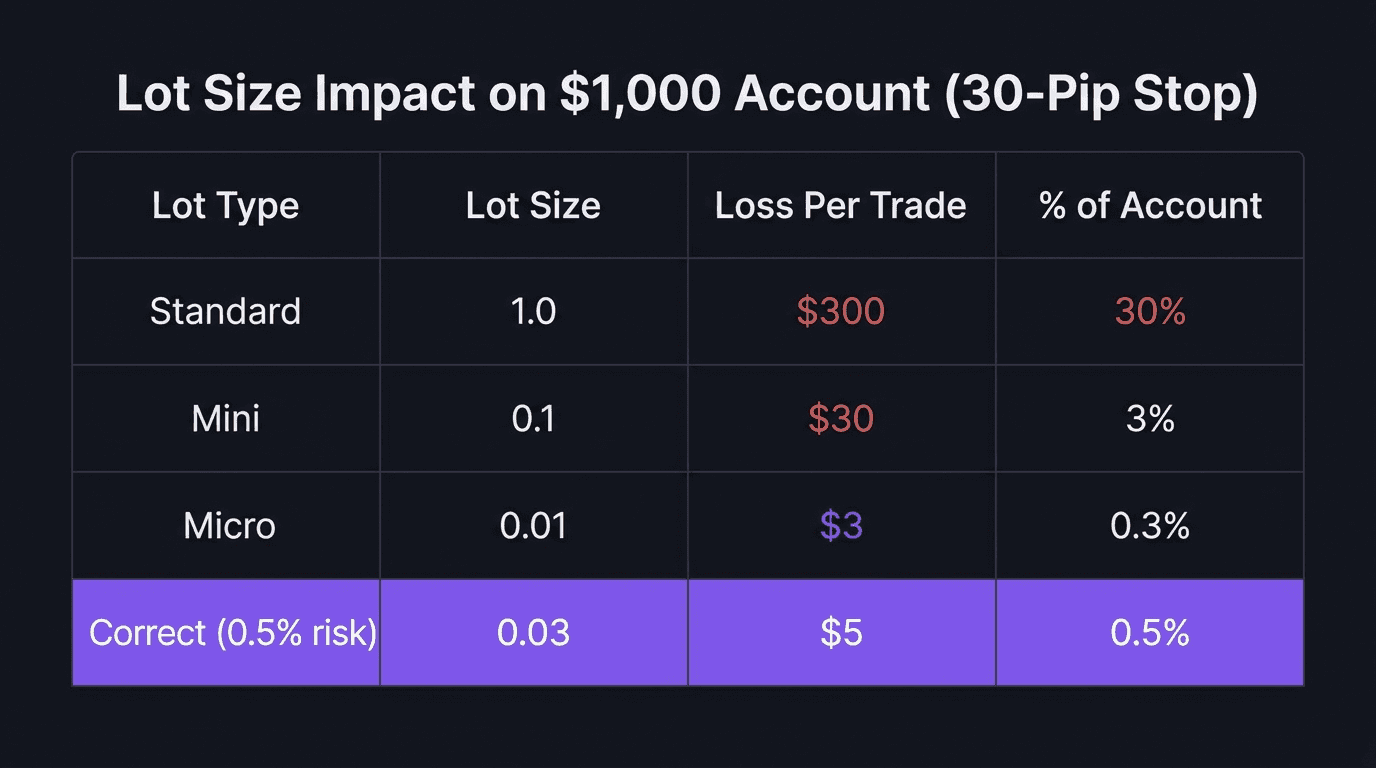
If you have a $1,000 account and you're risking 0.5% per trade ($5), you'll almost always be using micro lots. That's not embarrassing. That's correct.
Using a standard lot on a $1,000 account with a 30-pip stop means risking $300 per trade. That's a 30% loss on one trade. One bad entry and nearly a third of your capital is gone. You'd need to make back roughly 43% just to get back to even.
How to Calculate Your Position Size (Step by Step)
Here's the exact walkthrough using a $1,000 account, 0.5% risk, and a 15.8-pip stop loss on EUR/USD.
Step 1: Calculate your dollar risk
$1,000 x 0.5% = $5
That's the most you'll lose if this trade hits your stop. Not $50, not $500. Five dollars.
Step 2: Find your stop loss distance
You've marked your entry at a demand zone edge. The stop loss sits below the zone at 15.8 pips. Always measure this from your entry price to your stop price using your charting platform's position tool.
Step 3: Plug it into a calculator
Open a position size calculator (MyFXBook's is free and reliable). Enter:
Currency pair: EUR/USD
Account currency: USD
Account size: $1,000
Risk percentage: 0.5%
Stop loss: 15.8 pips
Hit calculate. Result: 0.03 lots (a micro lot).
That means every pip of movement equals about $0.30. If price moves against you by 15.8 pips, you lose approximately $5. If price moves in your favor with a 1:5 reward ratio (79 pips to take profit), you make about $25.
You don't need to do this math by hand. The calculator handles the unit conversion, accounts for the specific pair, and gives you the exact lot size to type into cTrader/ TradeLocker.
What about different risk levels?
Bump it to 1%: your dollar risk doubles to $10, and the lot size becomes 0.06. Same setup, same stop, double the exposure. That's fine if you've backtested your strategy and your win rate supports it.
A walkthrough of what NOT to do
> The mistake: A trader with a $1,000 account opens a EUR/USD long and uses 1.0 standard lot because "it's just one lot." The stop loss is 30 pips away. Price moves against them. > > What happened: 30 pips x $10/pip = $300 loss. That's 30% of the account, gone on a single trade. To recover, the account now needs a 43% gain just to get back to $1,000. > > The fix: At 0.5% risk with a 30-pip stop, the correct lot size would have been approximately 0.02 lots. The loss would have been $5, not $300. The account stays intact. The trader survives to trade another day.
Why You Still Lose More Than Expected
You sized perfectly. You used the calculator. You entered the right lot size. And you still lost $700 instead of $500. What happened?
Four things can inflate your actual loss beyond the calculated risk.
1. Broker price differences. If you analyze charts on Forex.com but execute trades on a different broker, the prices won't match exactly. Each broker has slightly different price feeds. A stop that looks safe on one platform might already be triggered on another. Always analyze on the same broker you trade on.
2. Exotic pairs. Pairs like USD/THB or EUR/TRY have lower liquidity and wider spreads. That wider spread eats into your stop distance. If your calculated risk assumes a 1-pip spread but the actual spread is 8 pips, you're already losing more than planned. Stick to major and minor pairs.
3. Slippage during news. During high-impact events like Non-Farm Payrolls, your broker might fill your stop at a worse price than you set. You placed a stop at 1.10456, but the fill comes through at 1.10459 or worse. This is normal during volatile moments. It's one reason a solid pre-market routine includes checking the economic calendar before trading.
4. Rounding errors. The calculator says 63.29 lots for a large account, but cTrader/ TradeLocker only accepts two decimal places. You round to 63.29 or truncate to 63.2. On a micro account the difference is tiny, but on larger accounts it adds up. Always round down, not up.
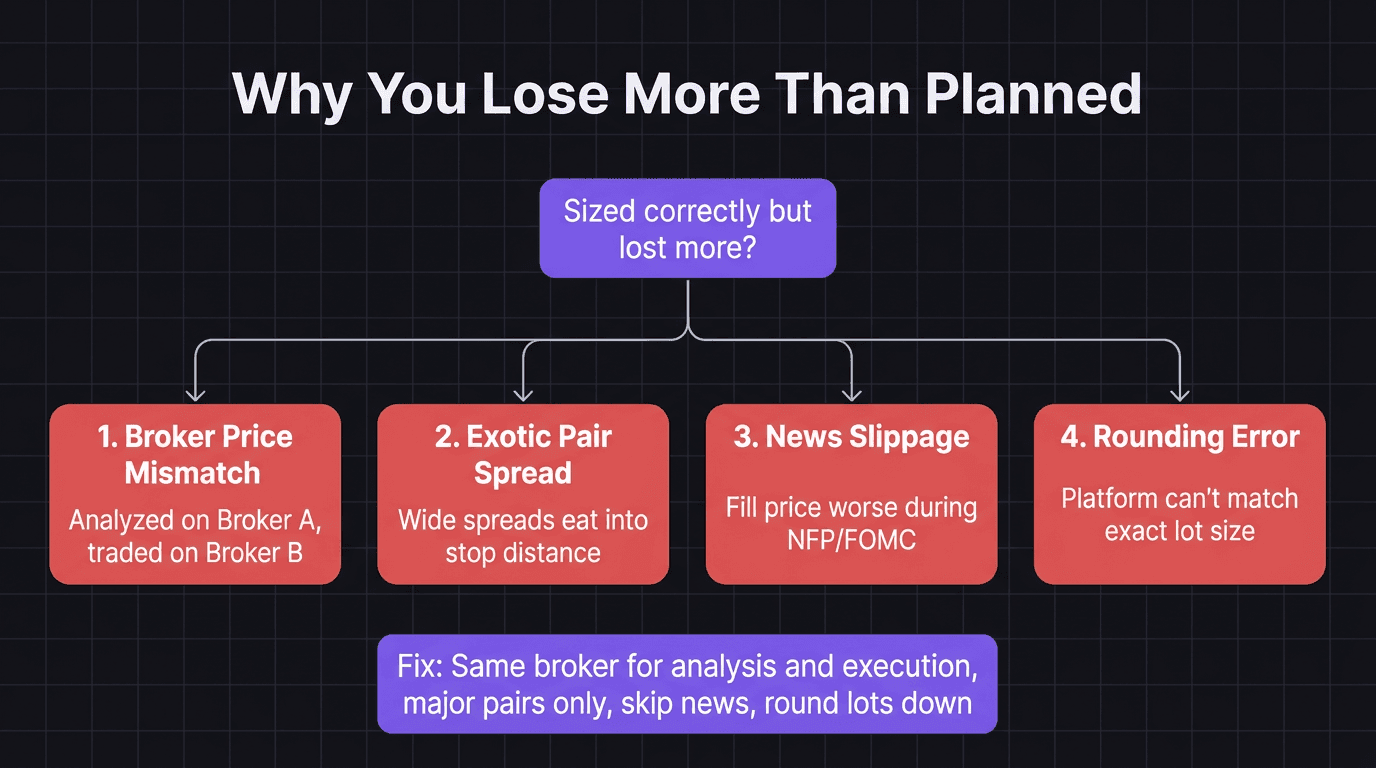
Ever done everything right on paper and still taken a bigger hit than you planned? Nine times out of ten, it's one of these four. Not a calculation error. A context error.
How EdgeFlo Handles Position Sizing
EdgeFlo auto-calculates your lot size from account size, risk per trade, and stop loss distance. It also solves the discipline gap between knowing the right size and actually using it.
Most trading mistakes around position sizing aren't math errors. They're override errors. You know the correct lot size is 0.03, but you type 0.1 because "this setup looks really strong." Or you skip the calculator entirely because you're rushing to catch a move.
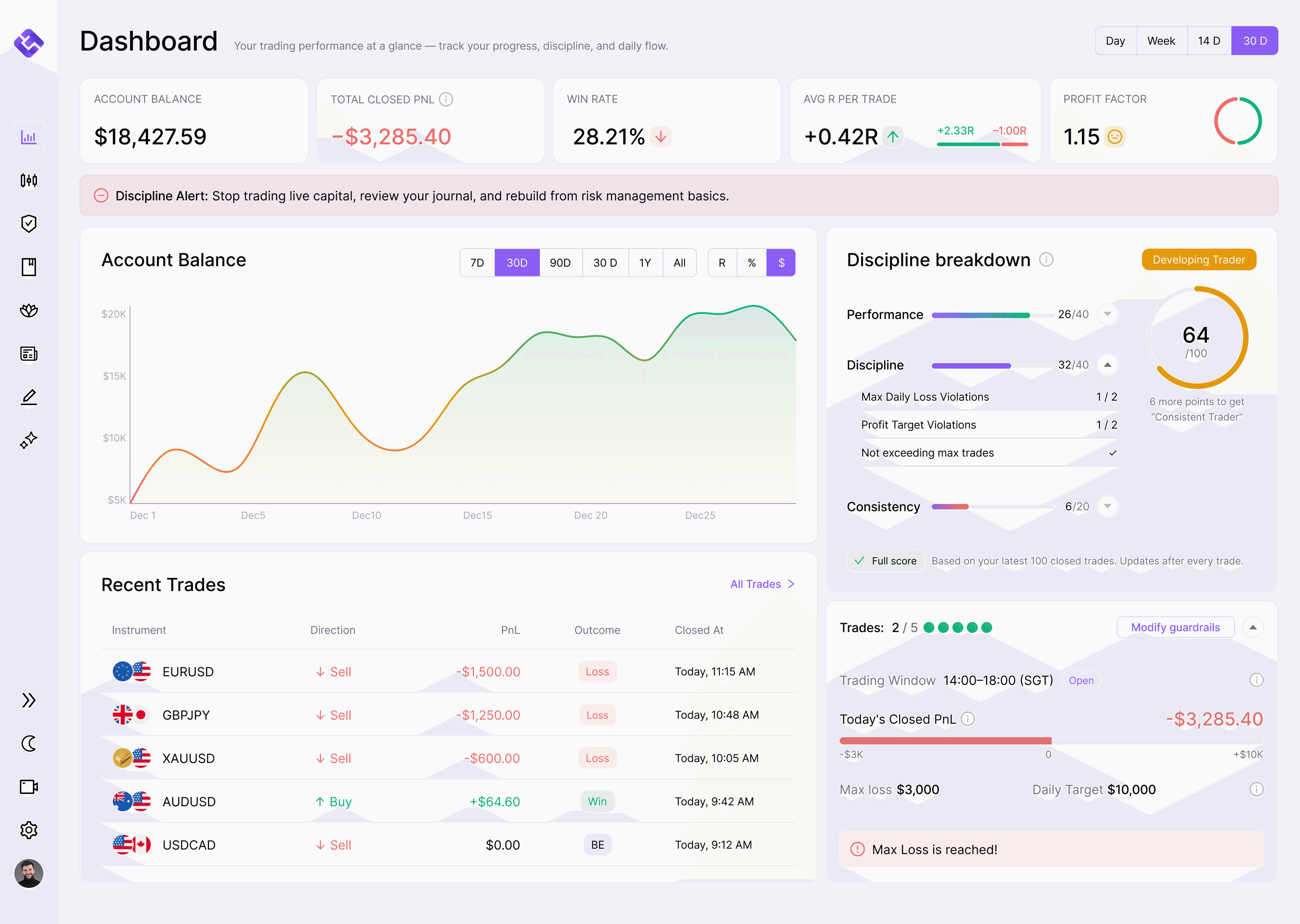
EdgeFlo's Guardrails can flag when a trade exceeds your defined risk-per-trade threshold. Set your max risk at 0.5%, and you'll get a prompt before any trade that breaks the rule. You can override it (the choice is always yours), but the pause forces a conscious decision instead of an impulsive one.
Your trading journal then captures whether you followed your sizing rules or deviated. Over time, that data shows you exactly how much the deviations cost versus sticking to the calculator.
Position sizing isn't complicated. Two numbers, one calculator, and the discipline to use them every single time. The math keeps your account alive. The habit keeps it growing.
The Edge Brief
Receive Insights on trading psychology, discipline, and the behavioral patterns that create consistent traders from our Founder and the EdgeFlo team, delivered to your inbox.
Think different. Trade different.
What is the best position size for trading?
How do you calculate position size?
What is the 2% rule in trading?
Why do I lose more money than my calculated risk?

Turn discipline on.
Every session.
EdgeFlo is the environment serious traders operate inside.
Start 7-Day Free Trial
Cancel anytime.
No long-term commitment.

Think Different, Trade Different.